A free creator page for brand deals, drafted from your channel
Brands want the same five things from every creator. Your Vid0 page answers them on one link, and it takes about a minute to set up.

3 min read
Every brand conversation starts the same way: What are your numbers? Who watches you? What do you charge? Who have you worked with? Most creators answer with a screenshot, a PDF from last year and a long email.
Your free Vid0 creator page puts all of it on one link.
What's on a Vid0 creator page?
- Your channel at a glance: subscribers, typical views per video and your top recent videos, drafted from public YouTube data.
- Your audience: if you upload your YouTube Studio export, the page shows the numbers brands ask about most. They're clearly labelled as self-reported.
- Your rates as a menu: list each deliverable (a dedicated video, an integration, a Short) with its price. Brands tick what they want and see the total. Not sure what to charge? Here's how to price a YouTube sponsorship.
- Past collabs: the brands you've worked with and the videos you made for them.
These are the parts brands look for in any media kit. To build one by hand instead, follow our YouTube media kit template.
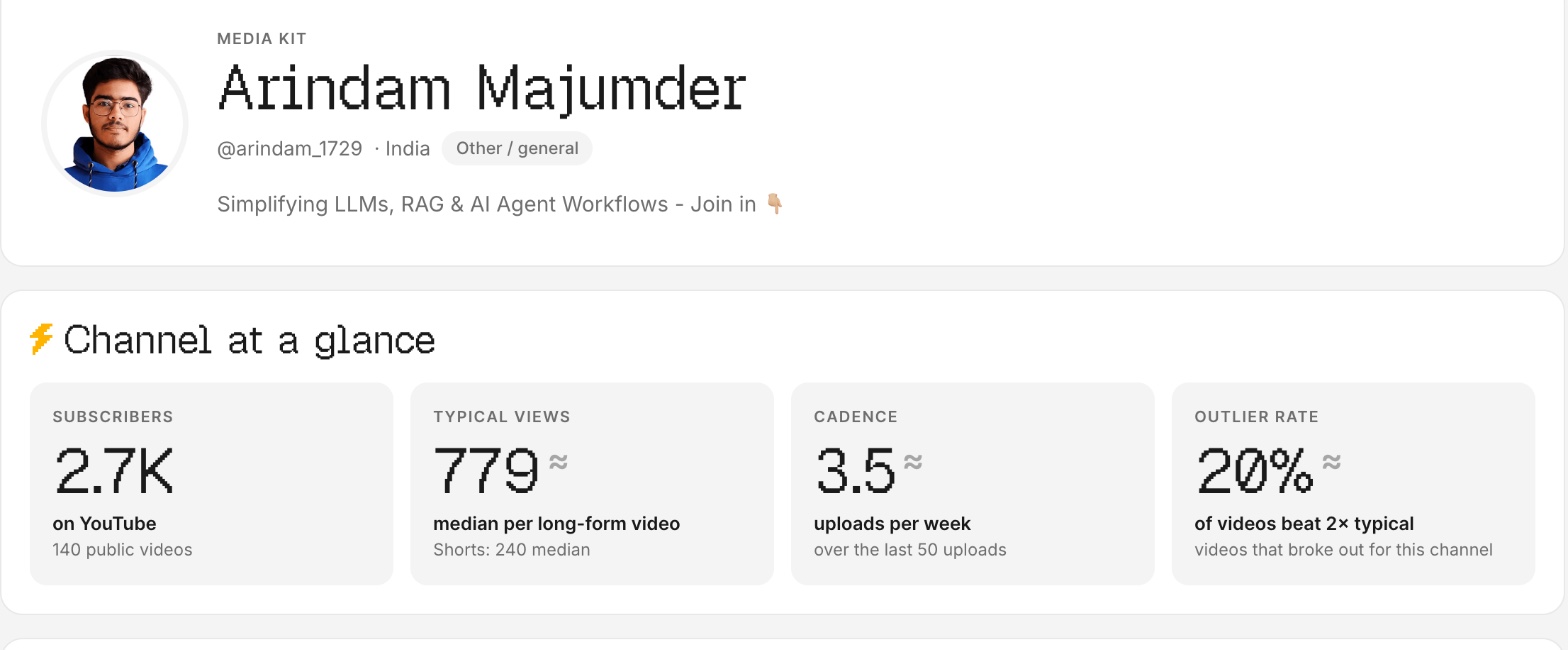
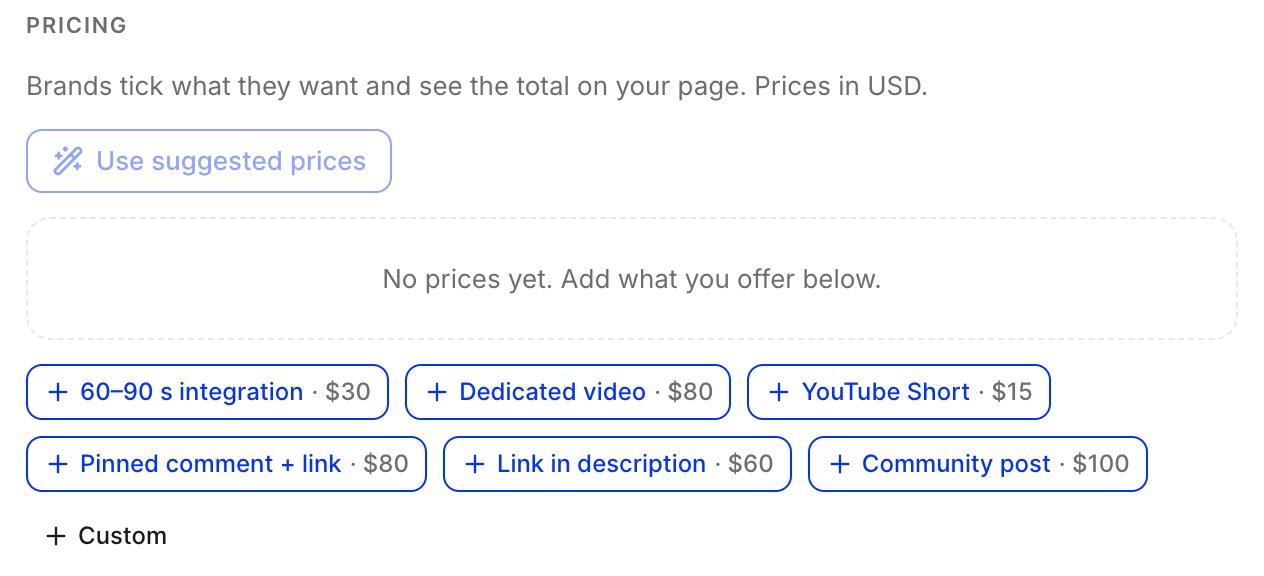
How do you set up a creator page?
Three steps, and the first draft takes about a minute:
- Type your channel on the creators page. We draft the page from your public data straight away.
- Upload your Studio export to add audience numbers, and set your rates.
- Publish, then put the link in your email signature and your channel's About section.
Why is the creator page free?
A creator page is the easiest way to start using Vid0, and every page tells the brands who see it that Vid0 exists. Paid plans can remove the Vid0 banner and footer if you'd rather keep it clean. New to Vid0? Here's what Vid0 is and why we built it.
FAQ
Is the Vid0 creator page really free?
Yes. Free pages carry a small Vid0 banner and footer; paid plans can hide them.
Do brands see my email address?
No. Requests from brands go to the Vid0 team, who makes the introduction.
Are the stats on my page verified?
Subscribers and typical views come from public YouTube data. Audience numbers from a Studio export are labelled self-reported. You can also send a brand a private link with verified numbers read from your connected channel.
Can I set my own prices?
Yes. Vid0 suggests prices from your typical views and niche, and you can change every one.
Create your creator profile today
Your stats, rates and past collabs on one link, like vid0.in/@yourchannel. Share it with brands and get booked.
Keep reading
All posts →- ExtensionProduct
The Vid0 Chrome extension is live: free YouTube analytics on every page
Vid0's free Chrome extension is live. Outlier scores, views per hour, keyword odds, tags and channel stats on YouTube, plus a YouTube Studio assistant.
11 min read
- Brand dealsPricing
How much to charge for a YouTube sponsorship (with the formula)
The formula Vid0 uses to price a YouTube integration from your typical views and your niche, with worked examples at 5K, 20K and 100K views.
6 min read
- Brand dealsGrowth
How to get your first YouTube sponsorship with under 10K subscribers
What brands look for in small channels, how to find the right ones, a pitch email you can copy, and how to price your first deal.
4 min read
Find your next outlier
Vid0 shows which videos broke out in your niche, why they did, and what you could make next.