YouTube media kit template: what to include, section by section
The sections brands actually read in a YouTube media kit, which numbers to show, how to label self-reported stats, and a filled-in example.

5 min read
Most media kits are a pretty PDF that's out of date the week after you make it. Brands skim them in under a minute, usually looking for the same few things. Here's what to put on yours, in the order brands read it.
1. Who you are, in two lines
Your channel name, handle, avatar, the country you're in and one sentence on what the channel is about. Add your niche in plain words ("personal finance for people in their 20s", not "lifestyle content creator").
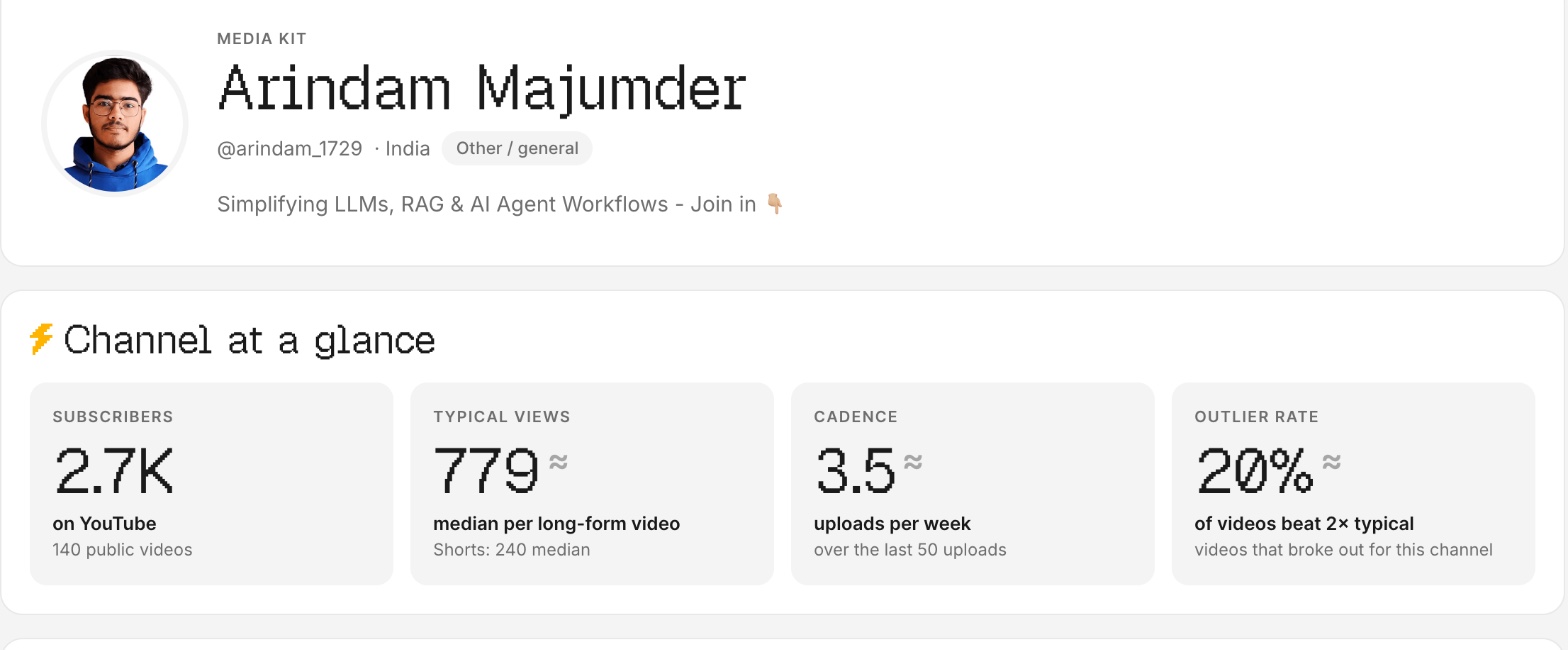
2. Your channel at a glance
The four numbers brands look at first:
| Number | What it shows | Why brands care |
|---|---|---|
| Subscribers | Your size on YouTube | A quick sense of scale, not what they pay for |
| Typical views per video | The median views of your long-form videos | What a sponsored segment will realistically reach |
| Upload cadence | Uploads per week | Whether their video will go out soon and whether you're consistent |
| Outlier rate | Share of videos that did at least 2× your usual views | How often you break out beyond your audience |
Scroll sideways to see every column.
Typical views is the number that matters most. Use the median, not the average, so one viral video doesn't oversell you. Vid0 works it out from long-form videos at least a week old.
3. Your audience
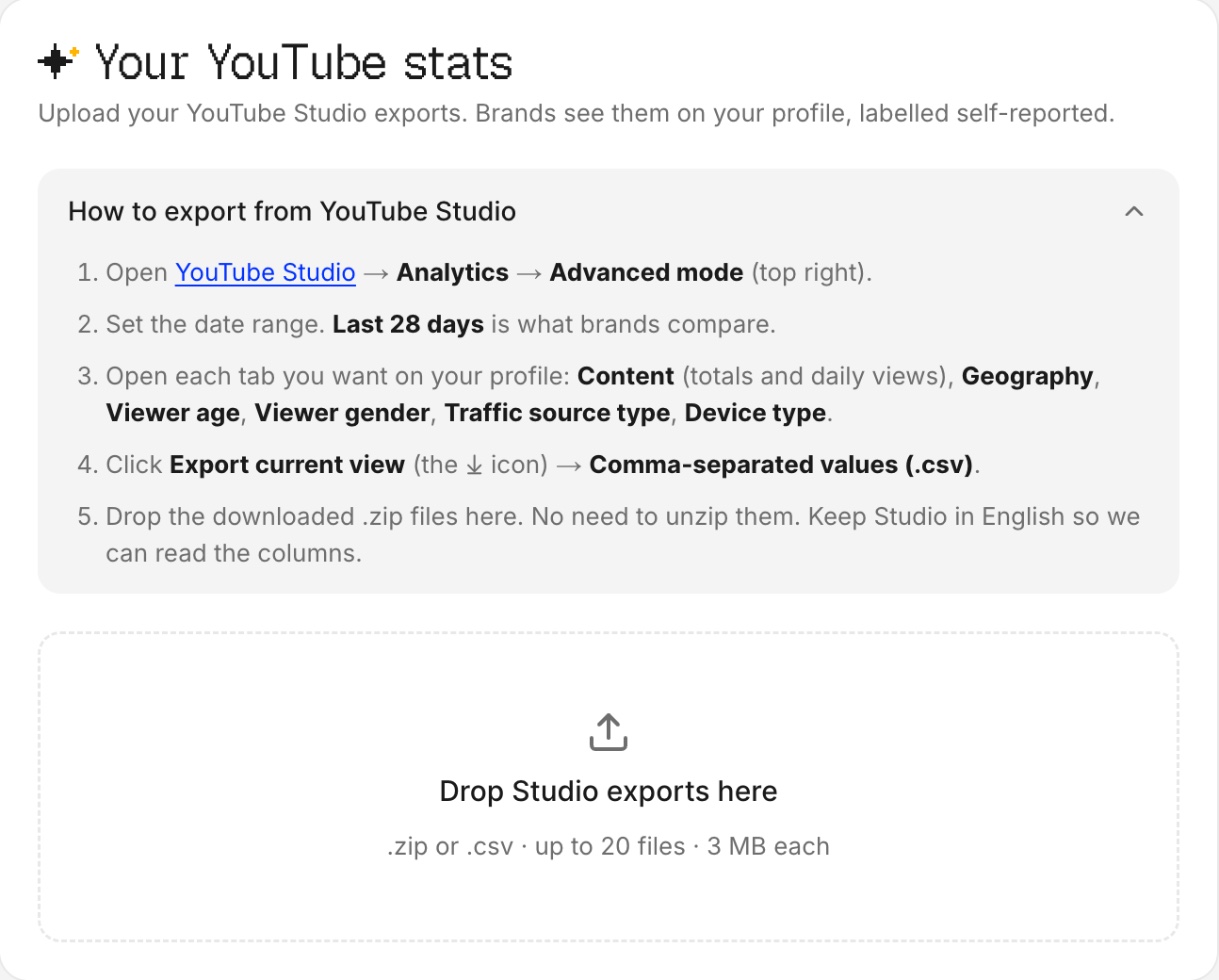
Age range, gender split, top countries, devices, traffic sources and how much of your audience is subscribed. All of this is in YouTube Studio under Analytics. Brands want to know whether your viewers are their buyers.
4. What you offer, with prices
List each deliverable with its price: a 60 to 90 second integration, a dedicated video, a Short, a pinned comment, a link in the description, a community post. Put a price on every item. "Rates on request" makes the brand do work, and many won't.
Not sure what to charge? Here's how to price a YouTube sponsorship from your typical views, or try the free sponsorship rate calculator.
5. Past collabs
The brands you've worked with and a link to the video you made for each. A brand seeing a competitor or a neighbour on your list is the strongest signal you can give. If you haven't done a paid deal yet, skip this section rather than padding it.
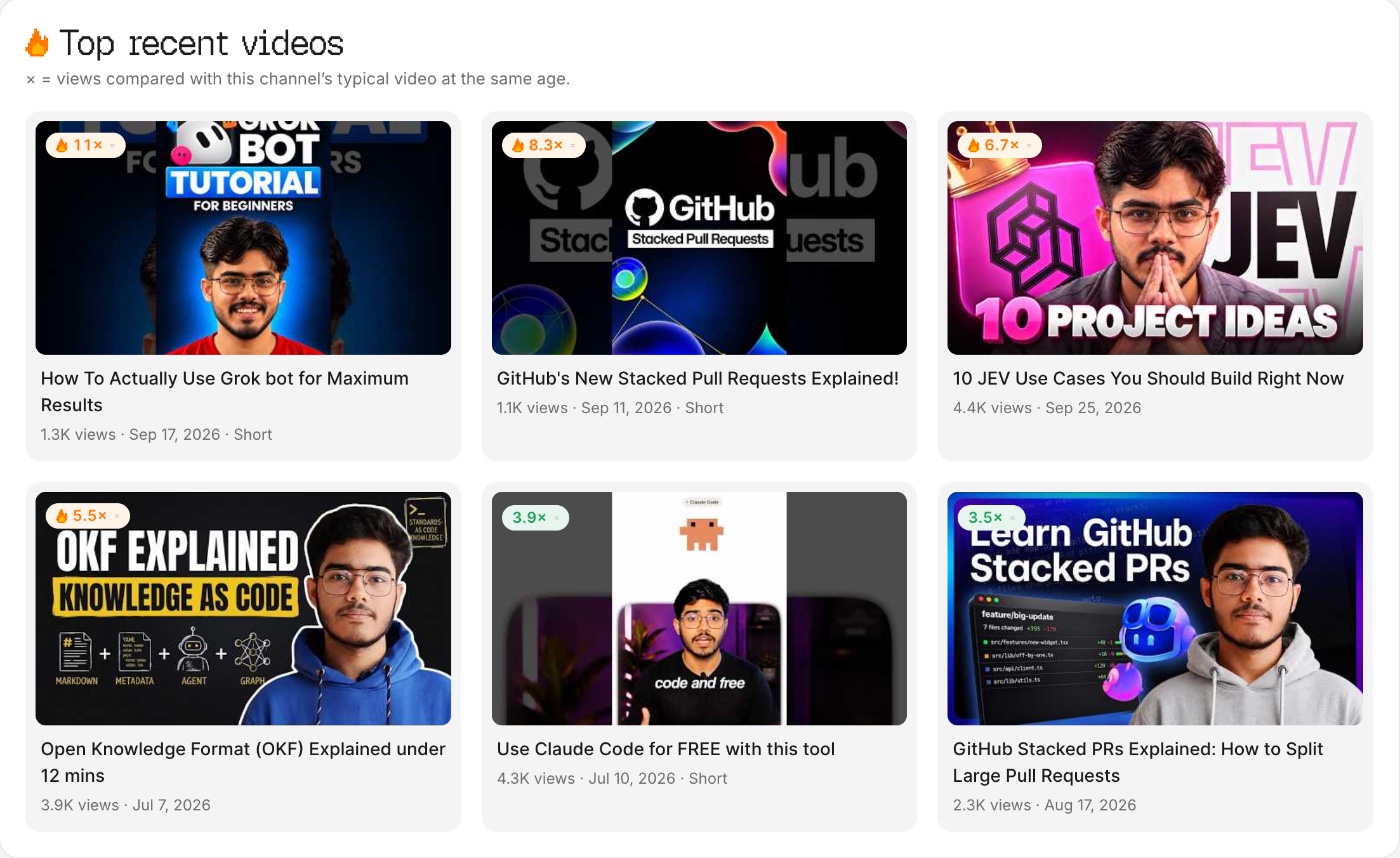
6. Your best recent videos
Three to six recent videos, ideally ones that beat your usual views. They show the brand what your content looks like today, not two years ago.
7. How to work with you
One clear next step: a form, an email or a booking link. Say how quickly you reply.
What does a filled-in media kit look like?
Like this: one screen, with the numbers a brand checks first.
Priya Codes · @priyacodes · India
Short, practical coding tutorials for people learning to build web apps.
At a glance: 38K subscribers · 9,200 typical views · 1 upload a week · 1 in 5 videos beats my usual views by 2×
Audience (self-reported, YouTube Studio, last 28 days): 72% aged 18 to 34 · top countries India, US, UK · 64% mobile
Work with me: integration $280 · dedicated video $700 · Short $110 · link in description $60
Past collabs: a hosting company, a code-editor plugin
Contact: the form on my page, replies within two days
Priya is made up. The prices come from the tech CPM band at 9,200 typical views. To see a live one, open this sample YouTube media kit, a Vid0 creator page for a real channel.
Should you use a template or a generator?
A Canva or Figma template looks nice but goes stale, and you have to update every number by hand. A media kit built from your channel stays current. On Vid0, you type your channel and it drafts a free creator page for brand deals from your public stats, with suggested prices, your recent best videos and any sponsors it detects in your videos. You then add your audience from a Studio export, edit the prices and share one link.
FAQ
What should a YouTube media kit include?
Who you are, your subscribers and typical views per video, your audience, what you offer with prices, past collabs, a few recent videos and one way to contact you.
How long should a media kit be?
One page, or one screen on a phone. Brands skim, so the numbers they need should be visible without scrolling far.
Should I put prices in my media kit?
Yes. A price on each deliverable makes it easy for a brand to say yes. You can still negotiate, and a range is fine.
Can I make a media kit with a small channel?
Yes. Brands working with small creators care more about typical views, audience fit and engagement than subscriber count. Leave out sections you can't fill honestly, like past collabs.
Where do I get my audience numbers?
YouTube Studio, under Analytics, has age, gender, geography, devices and traffic sources. Export it as a file, or copy the numbers, and label them as self-reported.
Create your creator profile today
Your stats, rates and past collabs on one link, like vid0.in/@yourchannel. Share it with brands and get booked.
Keep reading
All posts →- Brand dealsPricing
How much to charge for a YouTube sponsorship (with the formula)
The formula Vid0 uses to price a YouTube integration from your typical views and your niche, with worked examples at 5K, 20K and 100K views.
6 min read
- Brand dealsGrowth
How to get your first YouTube sponsorship with under 10K subscribers
What brands look for in small channels, how to find the right ones, a pitch email you can copy, and how to price your first deal.
4 min read
- Brand dealsProduct
A free creator page for brand deals, drafted from your channel
Brands want the same five things from every creator. Your Vid0 page answers them on one link, and it takes about a minute to set up.
3 min read
Find your next outlier
Vid0 shows which videos broke out in your niche, why they did, and what you could make next.