Vid0, right on YouTube
Outlier scores, views per hour, keyword odds and channel stats where you already research, plus a pre-publish assistant inside YouTube Studio. Free, and your browsing stays on your device.
Works in Chrome, Edge, Brave and Arc. Free on every plan.
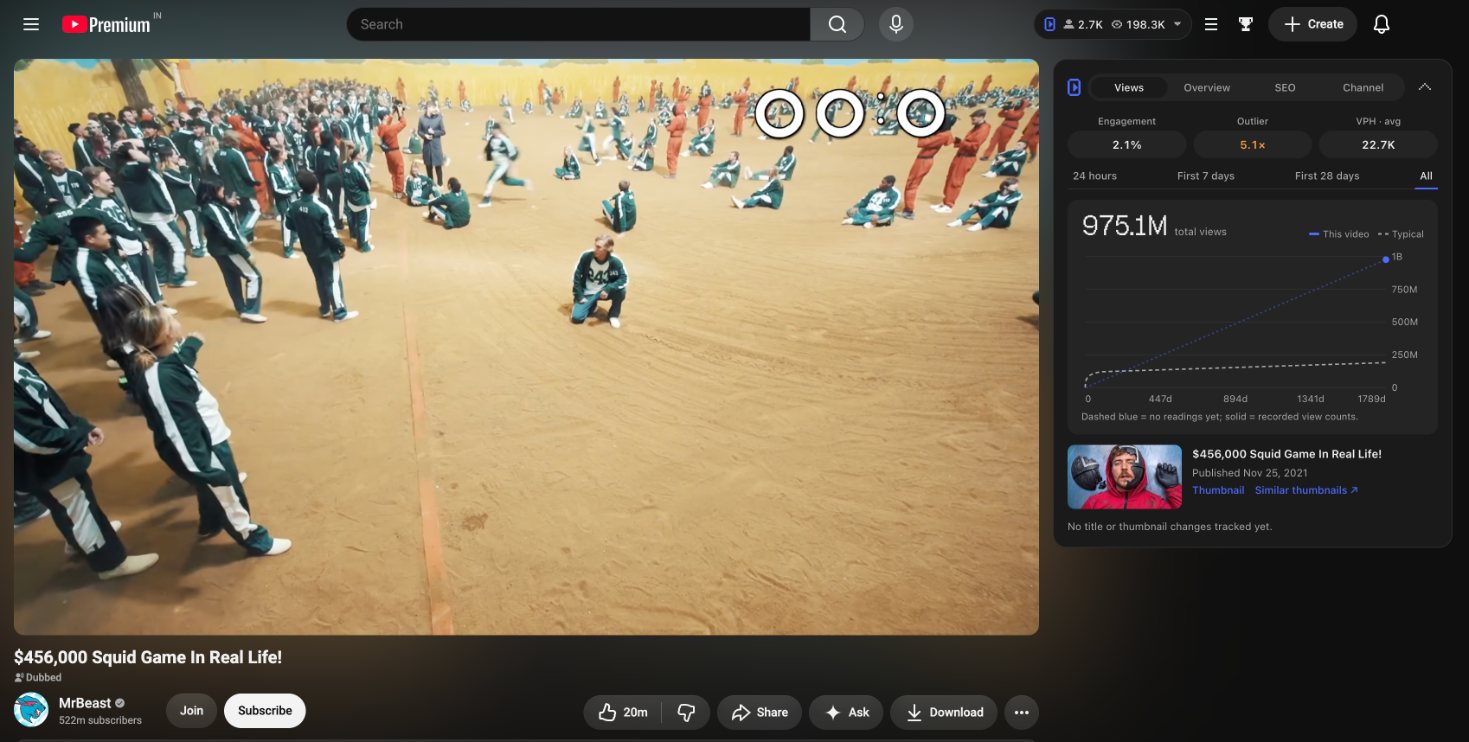
Real screenshot: the Vid0 scorecard on MrBeast's Squid Game video, 5.1× the channel's typical views.
Every page gets a second look
Vid0 draws into YouTube's own layout and follows its light or dark theme, so it feels like part of the page.
Know if a topic is worth making before you search twice
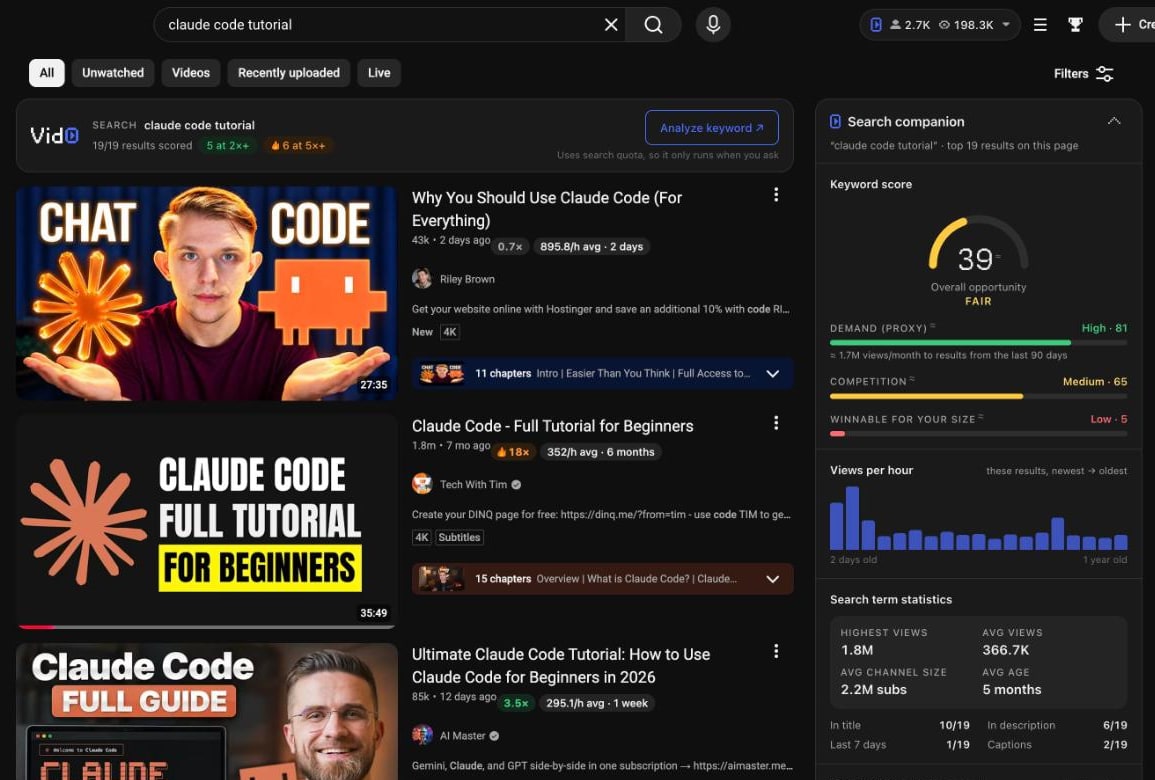
Next to every search: a keyword score with demand and competition, views per hour by video age, and whether the term is winnable at your channel's size.
- Outlier multiples and views per hour on every result
- The channels that own the term and the tags results share
- Built from the videos already on the page
Why a video is winning, in one sidebar
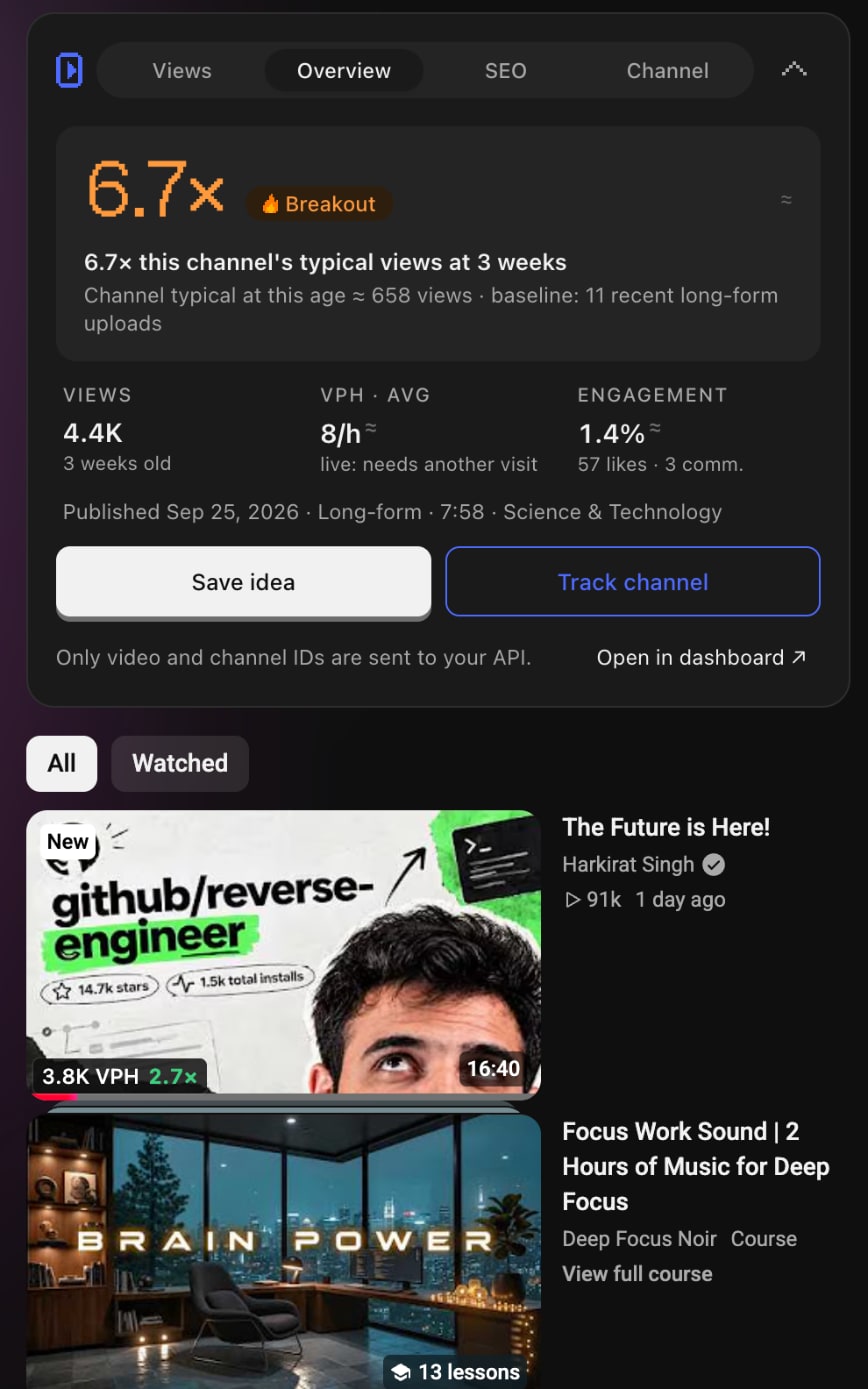
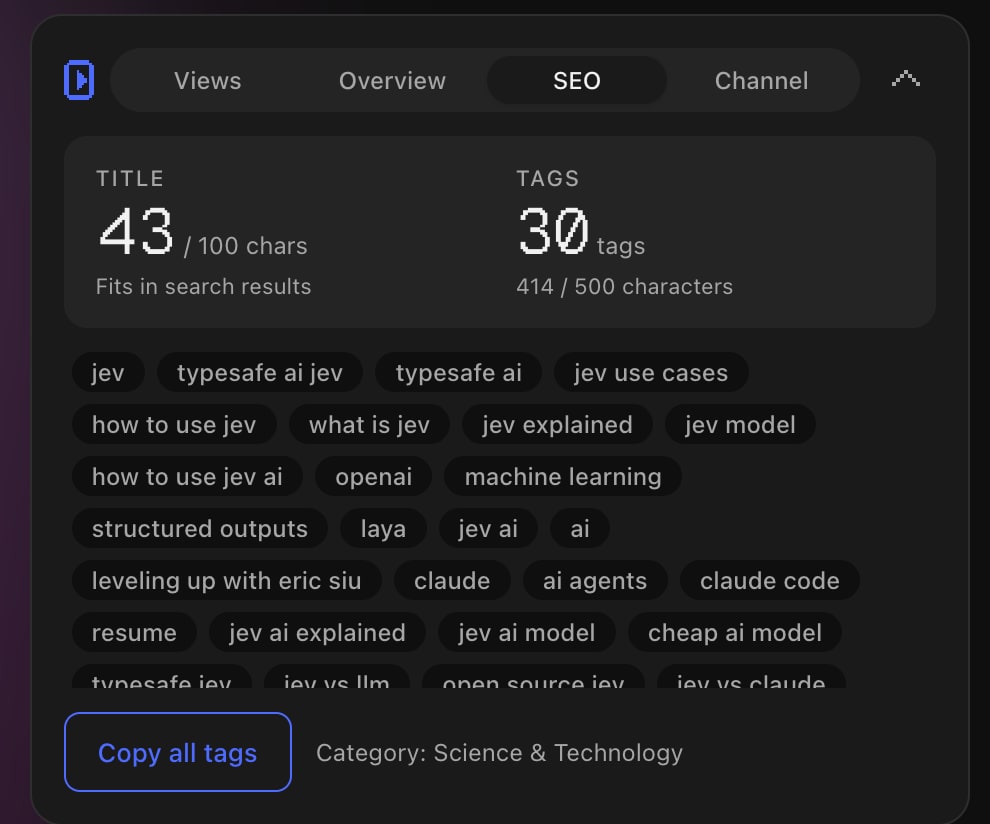
Open any video and the scorecard tells you how far it beat the channel's typical views, how fast it's growing now, and the SEO behind it.
- Outlier score against the channel's own baseline
- Every tag the video uses, copied in one click
- Views per hour badges on related videos
Size up any channel in seconds
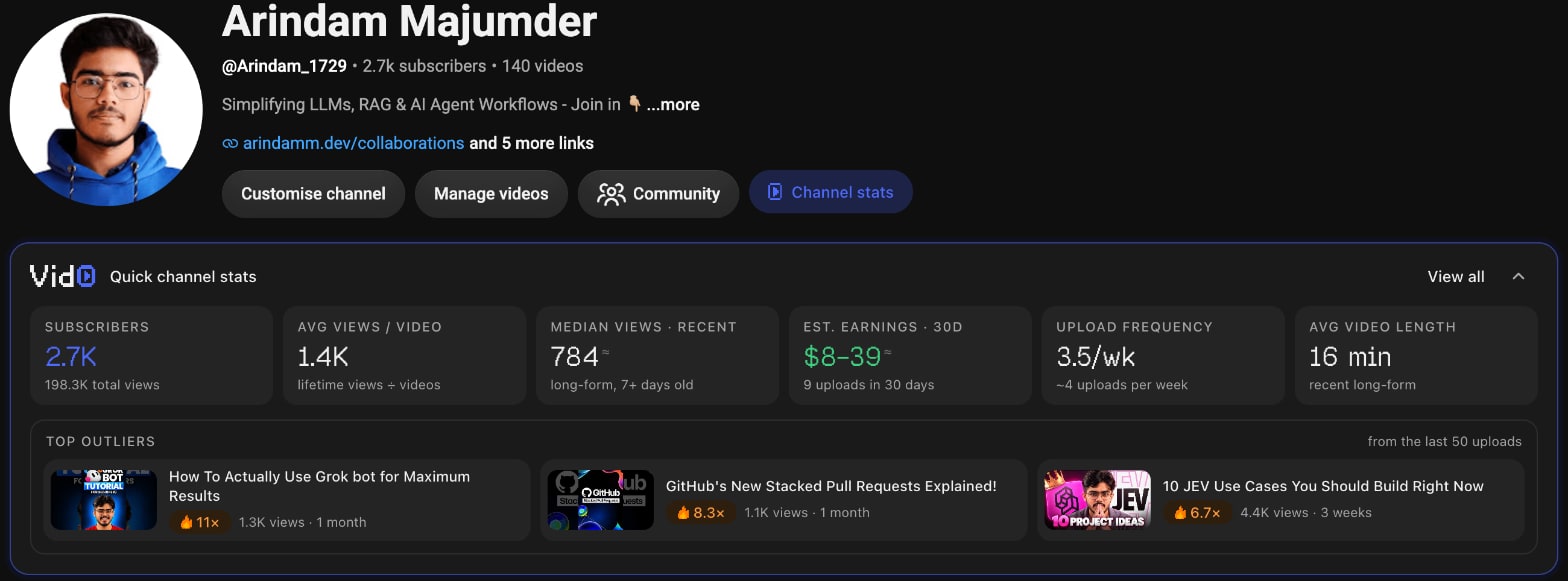
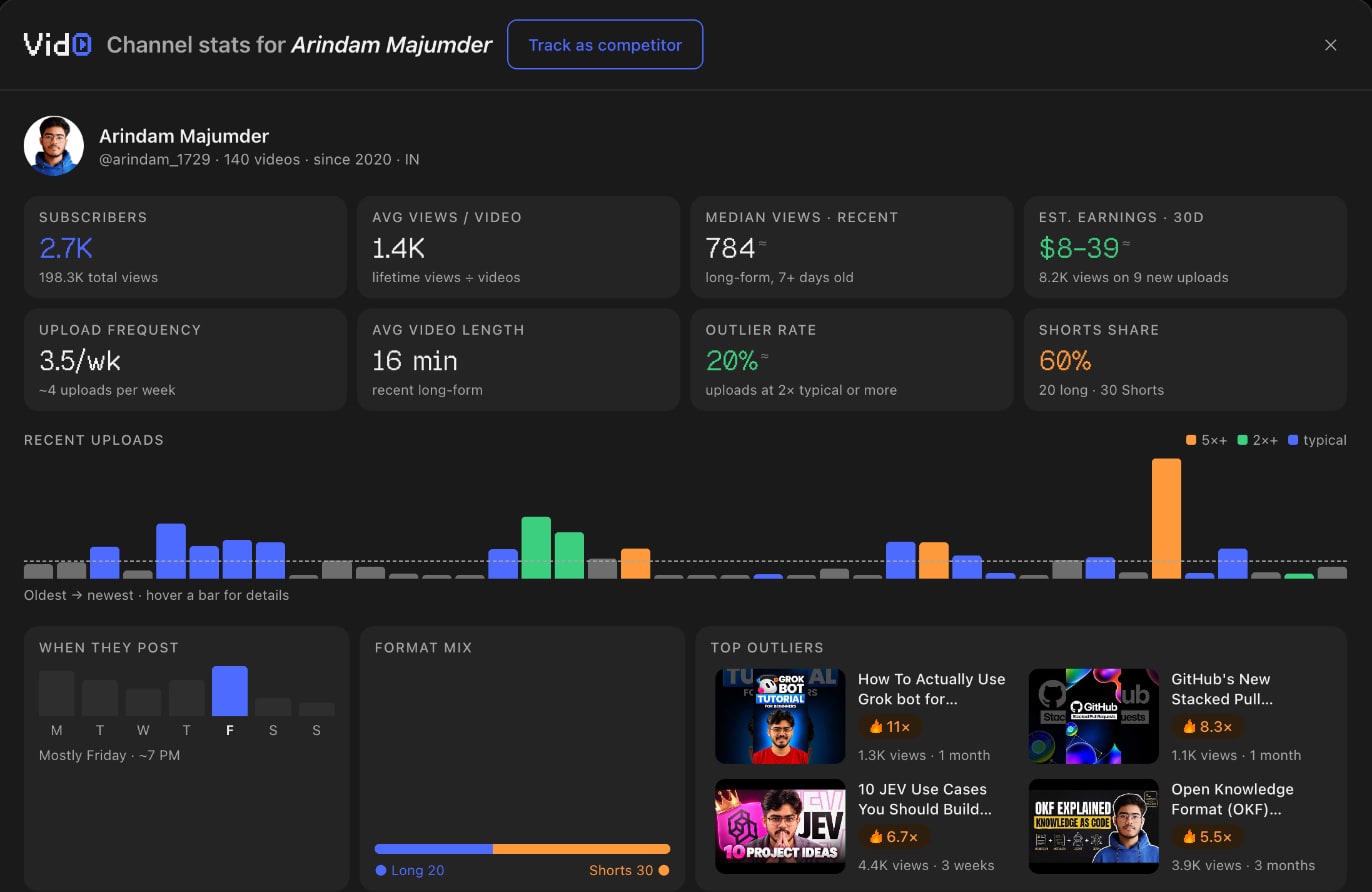
Quick stats sit right under the channel header. One click opens the full panel: every recent upload coloured by how it did, when they post, their format mix and top outliers.
- Typical views, upload frequency and estimated earnings
- Recent uploads at 2× and 5× their usual views
- Track as a competitor in one click
Check it before you publish
Cards drawn into Studio's own columns while you edit a video. Nothing is changed on YouTube: you copy what you like.
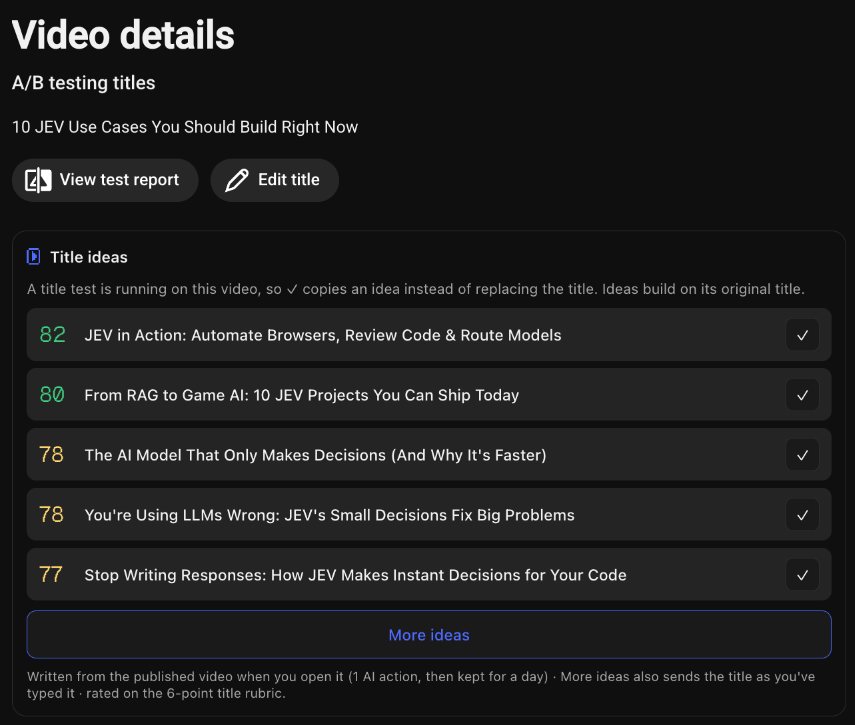
Rated title ideas, written from your video
Open a video in Studio and Vid0 drafts title ideas from what it's about, each scored on the same rubric as your current title. Running an A/B test? ✓ copies an idea instead.
- Scored 0–100 with green, yellow and orange bands
- More ideas on demand, built on the title you typed
A description score you can actually fix
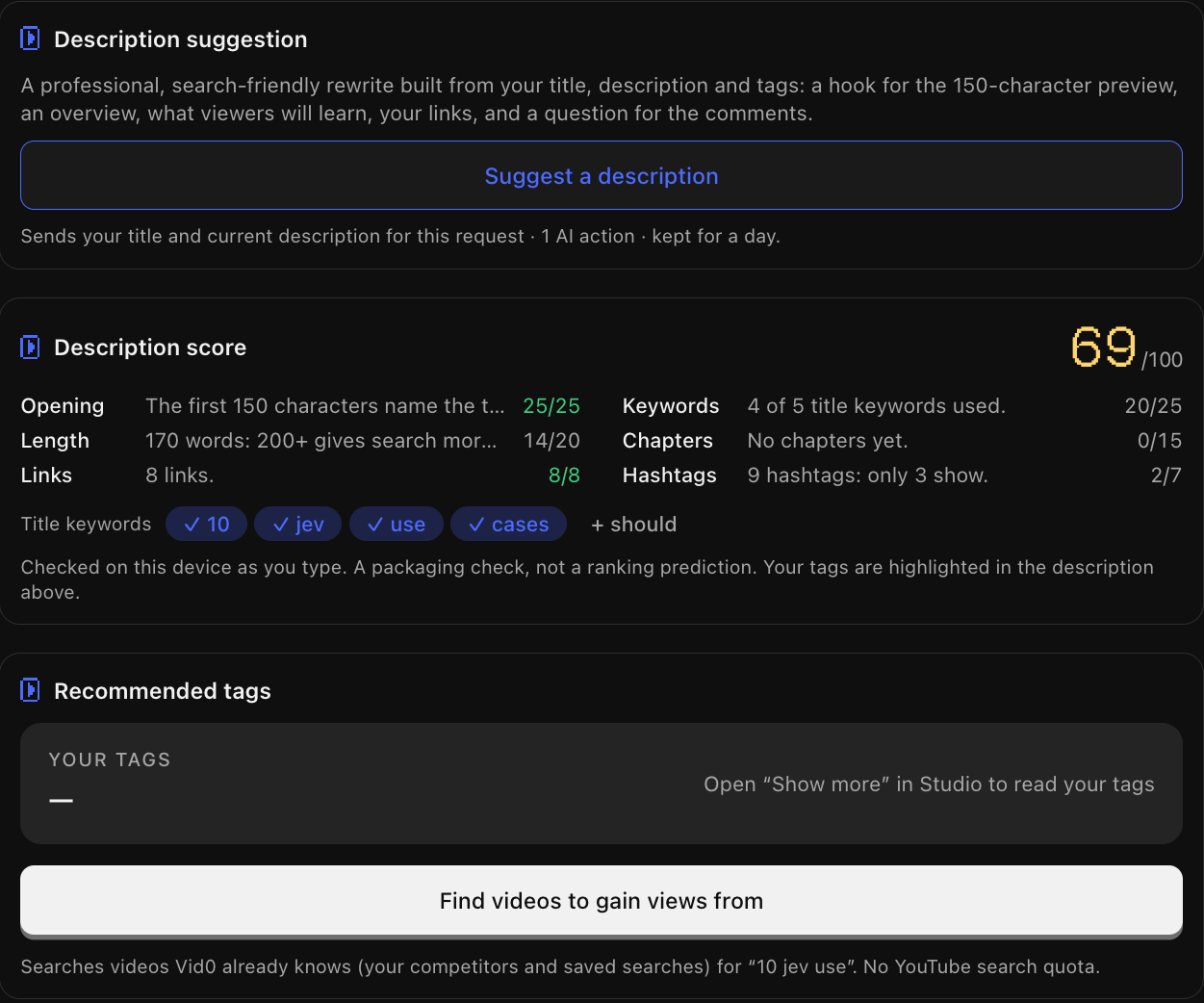
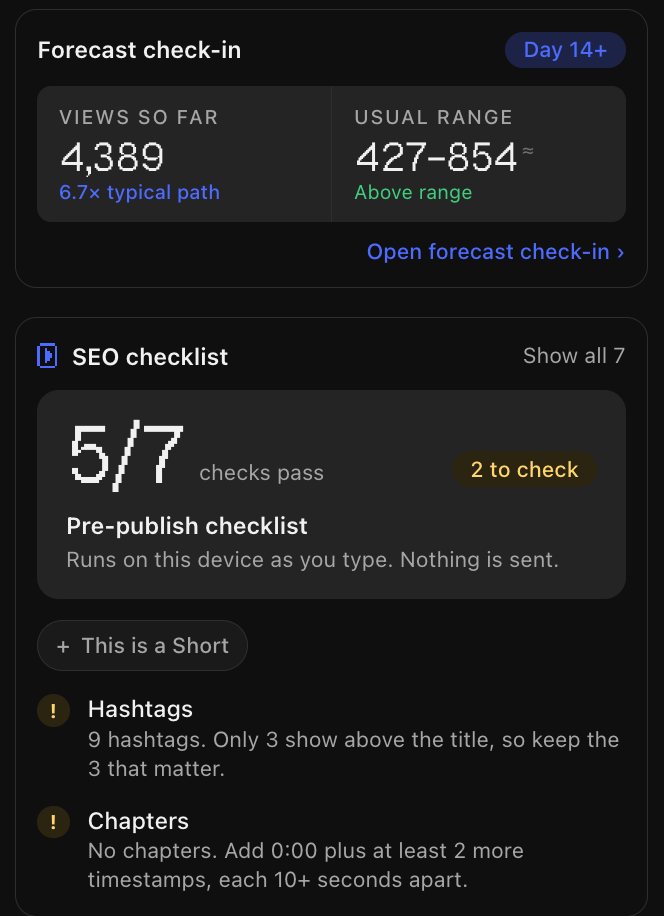
Every part of the description is checked as you type: the opening 150 characters, length, links, keywords, chapters and hashtags. Want a rewrite? Ask for a suggestion that keeps your links and chapters.
- Points per check, so you see what to change first
- Tags from videos you can gain views from
Ship it at the right time, with nothing missed
A pre-publish checklist that runs on your device, a forecast check-in once the video is out, and the hours your past uploads did best.
- Forecast against your usual range for the same age
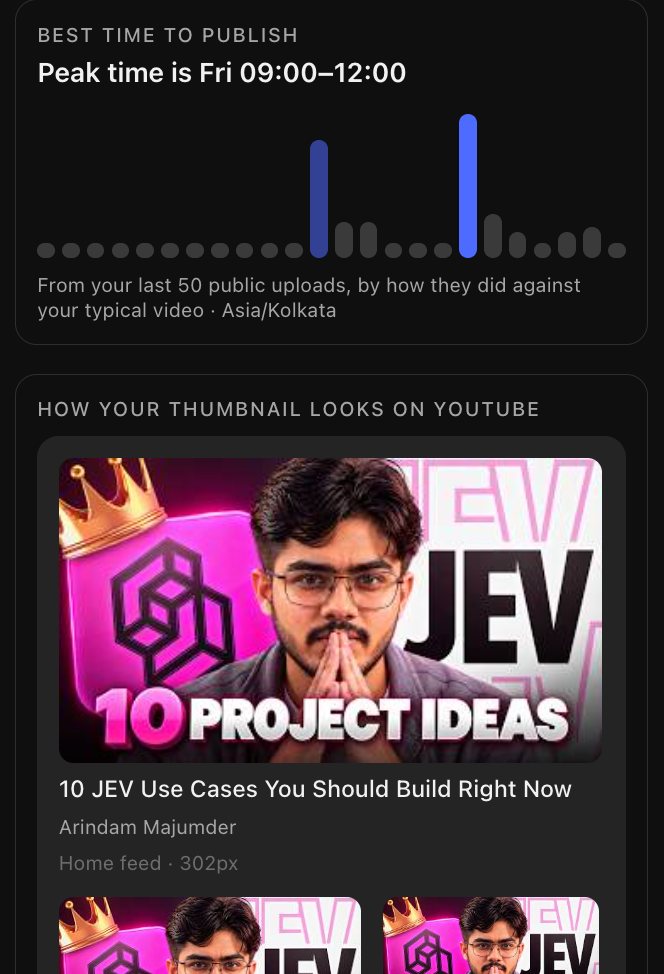
- Best time to publish from your last 50 uploads
- How your thumbnail looks in the feed, on mobile and up next
Your browsing stays yours
Running in a minute
1 Add it to Chrome
From the Chrome Web Store. It works in Chrome and Chromium browsers like Edge, Brave and Arc.
2 Sign in free
Open the Vid0 popup and click Connect. Sign in with Google; no card needed.
3 Open YouTube
Search, watch or open Studio. Vid0 shows up on the page, and saved ideas land on your board.
Good to know
Is the extension free?
What does it send to Vid0?
Does it work next to vidIQ?
Does it follow dark mode?
Why does it need youtube.com and vid0.in?
See your next outlier on YouTube
Free, private by design, and part of every Vid0 plan.