What is a good CTR on YouTube? (And how to judge yours)
YouTube says half of channels and videos sit between 2% and 10% CTR. Why niche benchmarks don't hold up, and how to judge CTR against your own channel.

7 min read
A 4% CTR can be excellent for one video and a warning sign for another. Here's what YouTube actually says about CTR, why "average CTR for your niche" charts don't hold up, and how to judge yours.
What is CTR on YouTube?
Impressions click-through rate (CTR) is the share of impressions that turned into views. YouTube's Impressions & click-through-rate FAQs define it as "how often viewers watched a video after seeing a registered impression on YouTube".
Two details matter:
- Not every thumbnail view is an impression. YouTube says "not every instance where a viewer sees a video thumbnail will count as an impression".
- Some places don't count at all, such as external websites and end screens.
So if a video gets lots of traffic from outside YouTube, it can have more views than impressions, and CTR only tells you about the part of its audience that found it on YouTube.
You'll find impressions and CTR in YouTube Studio under Analytics > Content, and on the Reach tab of each video's analytics, according to YouTube's page on checking impressions and watch time.
What is a good CTR on YouTube?
YouTube gives one benchmark, in the same FAQ: "Half of all channels and videos on YouTube have an impressions CTR that can range between 2% and 10%." It adds that new videos or channels, "like those less than a week old", and videos with fewer than 100 views "can see an even wider range".
That's a wide band on purpose. It tells you that 3% isn't a failure and 9% isn't a miracle. It doesn't tell you whether your 5% is good, because that depends on where your impressions came from.
Are there CTR benchmarks by niche or channel size?
Not credible ones, as far as we can find. YouTube doesn't publish CTR by niche or by channel size, and the only figure in its help pages is the 2% to 10% band above. Charts you see elsewhere usually come from a tool's own users, with no way to check who was in the sample, which traffic sources were counted or whether Shorts were mixed in. We'd rather not repeat numbers we can't verify.
Why does CTR vary so much?
YouTube's FAQ names most of them:
- Traffic source. "Videos where most of the impressions are from sources like your channel page may have a higher rate." People on your channel page already know you. People on the home page don't.
- How many impressions. When YouTube starts showing a video widely, for example on the home page, CTR usually drops, because it's reaching people who are less sure they want it.
- Audience size. Videos with fewer impressions can have a higher CTR because "they've been viewed by a narrower, more loyal audience". That's why a small channel's 12% isn't automatically better than a big channel's 4%.
- Video age. YouTube says new videos, "less than a week old", can see an even wider range. A video's CTR in its first day and after a month can describe different audiences, as the mix of places it's shown changes.
- Shorts vs long-form. Shorts in the Shorts feed start playing without a click, so thumbnail CTR doesn't describe them the same way. YouTube's Content tab tips for Shorts point to "Shown in feed" and the share of times viewers "viewed your Shorts versus swiped away" instead. Don't compare a Short's numbers with a long-form video's CTR.
How do I benchmark CTR against my own channel?
Compare like with like:
- In YouTube Studio, open Analytics > Content and look at impressions CTR for your last 10 long-form uploads.
- Note the middle value (the median). That's your usual. A median ignores the one video that went to 15% because only subscribers saw it.
- For each new video, compare its CTR with that median at a similar age and impression count. A video with 2,000 impressions and one with 200,000 aren't the same test.
- If CTR is low, check where the impressions came from on the Reach tab before you change anything. A drop that comes with many more home-page impressions can simply mean YouTube is testing the video on a wider audience.
The same idea applies to views. Vid0's Studio assistant compares each new upload with your channel's usual path at the same age:
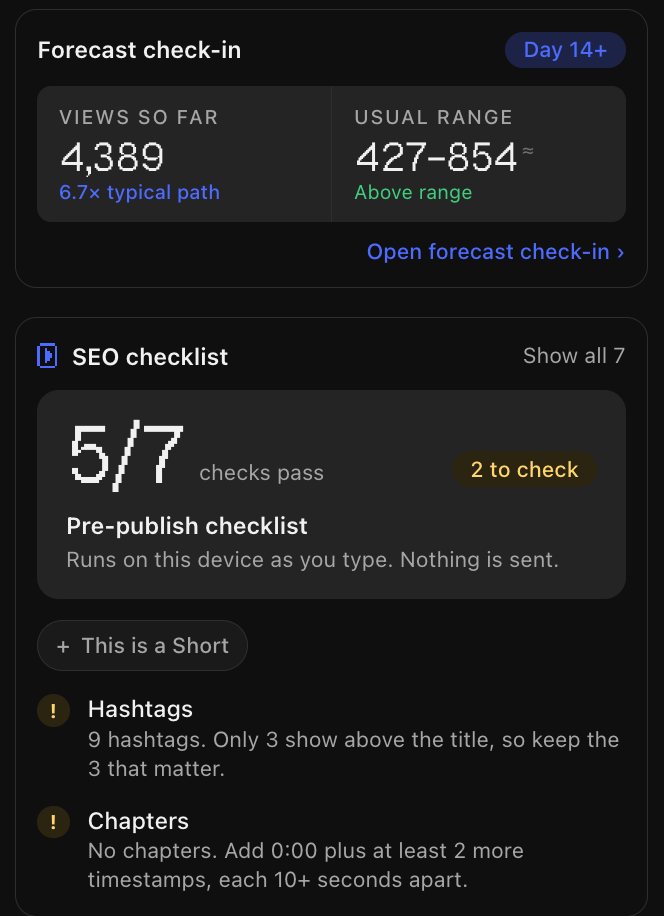
If you connect your channel to Vid0 (read-only), it does this for CTR too. It works out your median CTR from your recent uploads, counting only videos with at least 100 impressions so tiny samples don't skew it. If a video's CTR falls below 85% of that median, the Studio assistant flags "Fewer people click the thumbnail" and shows both numbers side by side. The Vid0 extension shows these tips right inside YouTube Studio.
How do I improve my CTR?
Sharpen the title
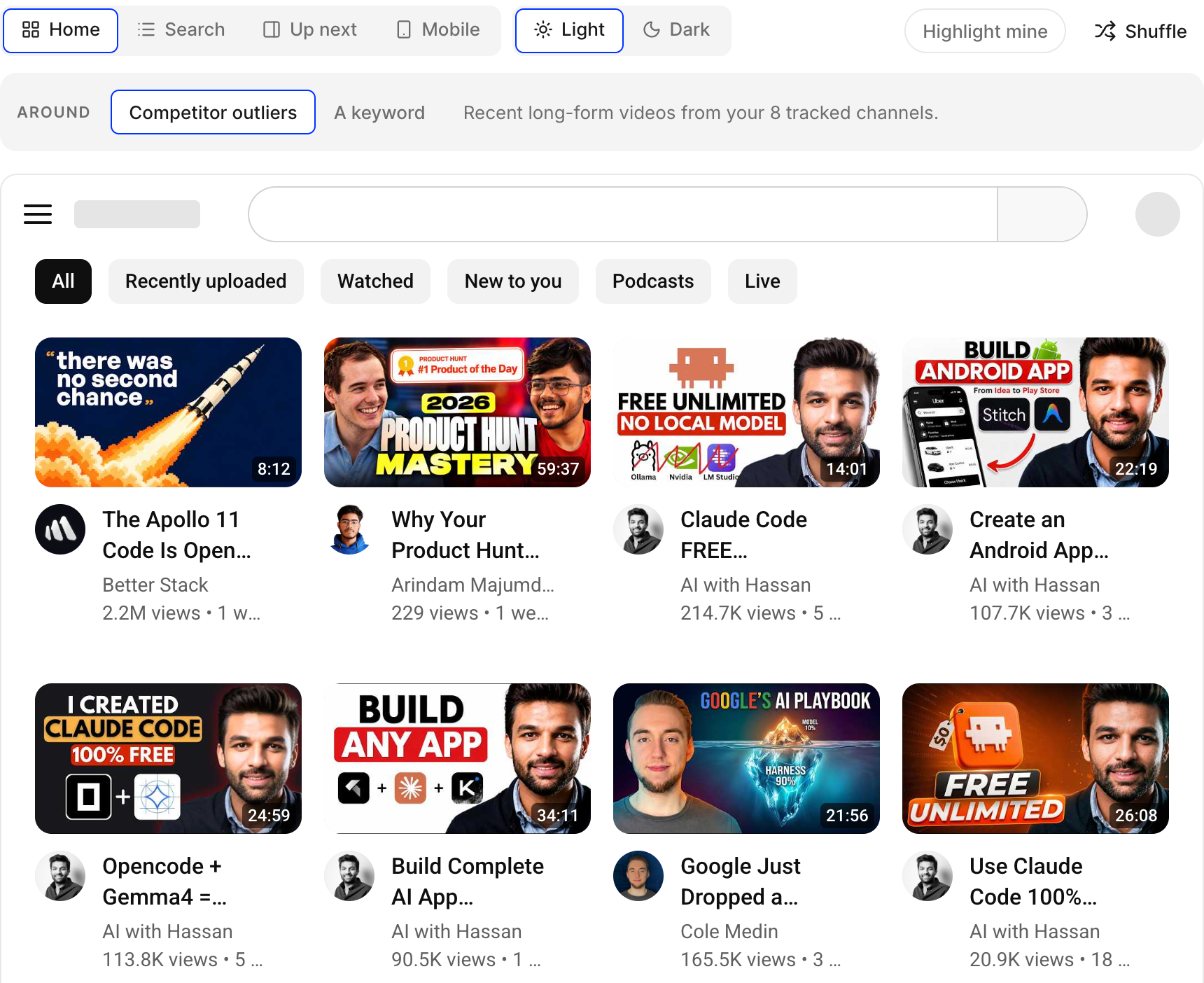
The title is half of what viewers see before they decide. Make a clear, specific promise and put the key words in the first 40 characters, where phones cut titles off. The 6-point YouTube title checklist goes through it step by step.
Fix the thumbnail
One clear subject, a few large words at most, strong contrast and a design that still reads at phone size. Thumbnail mistakes that kill your CTR covers the common problems and what to do instead.
Test it with Test & Compare
YouTube Studio can test up to three titles and/or thumbnails on the same video, according to its A/B test titles & thumbnails help page. A few things to know:
- It's only available on a computer, through YouTube Studio.
- It doesn't work on videos made for kids, for mature audiences, or private videos, and not on Shorts.
- Tests should be finished within two weeks. If there's no clear winner, the first version you uploaded is shown to everyone.
- The winner is chosen by watch time, not CTR. YouTube says it optimises tests "for overall watch time over other metrics, like click-through-rate".
Learn from what works in your niche
Look at videos that did far better than their own channel's usual and study how they're packaged. How to find outlier videos on YouTube shows how to find them and what to take from them.
Why can a high CTR be a bad sign?
Because a click is only the start. YouTube's FAQ puts it directly: "You can tell if your thumbnail is clickbait if it's getting high CTR but low average view duration." It adds that clickbait videos "are less likely to get recommended by YouTube".
That's also why Test & Compare picks winners on watch time. Always check CTR together with average view duration. If CTR goes up and view duration goes down, the packaging is promising something the video doesn't deliver.
FAQ
What is a good CTR on YouTube?
YouTube says half of channels and videos are between 2% and 10%. The more useful test is whether a video beats your own channel's median CTR for similar traffic, while keeping viewers watching.
What is the average CTR on YouTube?
YouTube doesn't publish an average. It only says half of channels and videos fall between 2% and 10%, and that new videos and videos under 100 views can sit outside that.
Why did my CTR drop when my views went up?
Usually because YouTube started showing the video to a wider audience, for example on the home page. More impressions from people who don't know you tends to lower CTR even as views grow.
Is CTR different for Shorts?
Yes. Shorts in the Shorts feed play without a click, so YouTube reports how often they were shown in the feed and how often viewers watched versus swiped away. Don't compare Shorts with long-form CTR.
Does YouTube's Test & Compare pick the thumbnail with the highest CTR?
No. It picks the title or thumbnail with the most watch time. YouTube says it optimises for overall watch time over metrics like click-through rate.
Create your creator profile today
Your stats, rates and past collabs on one link, like vid0.in/@yourchannel. Share it with brands and get booked.
Keep reading
All posts →- GrowthResearch
How to grow your YouTube channel: a practical playbook
A growth playbook for small and mid-size channels: pick a viewer, find proven ideas, package and hold attention, then use Shorts, analytics and collabs.
11 min read
- PackagingTitles
How to write YouTube titles that get clicked: a 6-point checklist
The six things Vid0 checks in every YouTube title, from curiosity to the first 40 characters, with good and bad examples for each.
5 min read
- AnalyticsGrowth
The best time to post on YouTube is your time: how to find it
Why generic "best time to post" charts mislead, and how to find the days and hours that work for your own channel from your past uploads.
4 min read
Find your next outlier
Vid0 shows which videos broke out in your niche, why they did, and what you could make next.